Food photography for delivery apps comes down to three crops of one clean frame. DoorDash wants a 16:9 horizontal image of at least 1400 × 800 pixels, Uber Eats recommends a ratio between 5:4 and 6:4, and Grubhub requires a 1:1 square. Shoot one dish per photo, centered, in soft even light, with no added text, watermarks or faces.
Key takeaways
- Each platform uses its own crop: 16:9 on DoorDash, 5:4 to 6:4 on Uber Eats, square on Grubhub. Frame loose and you can cut all three from one capture.
- The same faults get photos rejected on DoorDash and Uber Eats: blur, hard shadows, added text or watermarks, people in frame, and more than one menu item in the shot.
- Top-down suits flat food such as pizza and bowls. A 45-degree angle suits burgers, sandwiches and anything tall.
- A phone beside a window can pass review for a short menu. A long menu, a dark kitchen or a need for print-quality files is the point to hire a photographer.
What are the photo requirements for DoorDash, Uber Eats and Grubhub?
The three platforms agree on content and disagree on shape. The figures below come from each platform’s merchant help pages: DoorDash’s list of common reasons for rejected menu photos, Uber’s merchant submitted menu catalog photo guidelines, and Grubhub’s menu help article.
| Requirement | DoorDash | Uber Eats | Grubhub |
|---|---|---|---|
| Item photo shape | 16:9 horizontal. No vertical or square photos | Between 5:4 and 6:4 (recommended) | 1:1 square |
| Pixel dimensions | Minimum 1400 × 800 | Width 550 to 10,000, height 440 to 10,000 | Minimum 200 × 200 |
| File size | 2 MB maximum (see note below) | 10 MB maximum | Not stated |
| File type | Not stated | JPG, PNG or GIF | PNG |
| Items per photo | One, unless you sell them together as a bundle | One | Food photos only, no coupons or specials |
| People | None. Hands pass if they do not distract | None, except hands | Not stated |
| Text, logos, watermarks | Rejected unless printed on the item itself | Rejected, except on the food or its packaging | Not stated for item photos |
| Framing | At least 80% of the item visible, filling 50–70% of the frame | Item centered, nothing cut off at the corners | Not stated |
| Store header or cover | Minimum 1400 × 800, 4:1 on web and 16:9 in the app, under 2 MB | 2880 × 2304, JPEG, 5:4 | Logo needs a background color |
Two notes on that table. DoorDash’s article gives 2 MB as the maximum file size in its resolution section and “under 16 MB” for item photos in its summary list, so I export under 2 MB and satisfy both. Grubhub’s 200-pixel minimum is a floor, and I would not upload a file that small.
Platform specs change without notice. Confirm the current numbers in your DoorDash Merchant Portal, Uber Eats Manager or Grubhub for Restaurants account before you export a full menu.
Why do delivery apps reject menu photos?
Reviewers reject photos that misstate the order, hide the portion, or look copied. Each platform publishes its own list.
DoorDash rejection reasons
DoorDash’s help article names eleven reasons. These seven are the easiest to trip:
- The file is under 1400 × 800 pixels, or someone upscaled a small image to reach that size.
- The photo is vertical or square, or someone cropped a vertical photo to 16:9 and cut into the dish.
- The crop is so tight that a customer cannot judge the portion.
- The background is busy, loud in color, or swapped in with editing software.
- The frame shows two items you sell apart. DoorDash calls these “hero shots” and rejects them for item photos.
- You reused one photo for two items. A beef taco and a chicken taco each need their own image.
- The image carries a watermark or came from a stock library.
DoorDash emails you the reason for each rejection, and you resubmit through Menu Manager in the Merchant Portal.
Uber Eats rejection reasons
Uber’s guidelines say an item photo must show a single item from your menu, centered, and that you must own the image or hold the right to use it. Uber rejects photos that are blurry, have strong shadows or too little light, show people other than hands, contain text or watermarks, or show a dirty surface, plate or used cutlery. After you submit a photo in Menu Maker, Uber locks the item page until its team approves or rejects the image. A rejection shows the reason on the item page, and Uber’s guide to restaurant menu photos says you also get an email.
Grubhub rejection reasons
Grubhub runs uploads through an automated check with three outcomes: approved, in review, or rejected. The system tests size and shape, confirms that the image shows food, screens for unsafe content, and checks copyright. Grubhub states that images must not return matching URLs in a reverse Google image search. I read that as a filter for stock and copied photos.
How do you set up food photography for delivery apps?
Good food photography for delivery apps starts with the menu as the app lists it. Frame each dish so one capture yields all three crops. I work in this order.
- Build the shot list from the live menu. Write one line per item the customer can order, including each protein or flavor you list apart.
- Choose one surface and one light position for the whole menu. A wood table, a steel counter or a plain tray all pass.
- Shoot horizontal with the dish in the center. Leave empty table on all four sides so the plate fills about half the frame. That margin lets you cut a 16:9, a 5:4 and a square from the same file without losing the rim of the plate.
- Plate the dish the way the kitchen sends it out, with the sides and sauces the order includes. DoorDash and Uber both require the photo to match the item.
- Photograph each dish within a minute or two of plating, before greens wilt and sauces skin over.
- Export three files per dish and name each one after the menu item. I deliver JPGs for DoorDash and Uber Eats and PNGs for Grubhub, each cropped to that platform’s shape.
- Upload, then check each item’s status and fix any rejection.
What camera angle works for each type of dish?
Match the angle to the height of the food. Uber’s merchant guide recommends top-down for plates and bowls and 45 degrees for burgers, sandwiches and taller items, and that split matches how I shoot.
| Dish type | Angle | Styling note |
|---|---|---|
| Pizza, flatbreads, salads, bowls, platters | Top-down | Keep the whole rim in frame so the size reads |
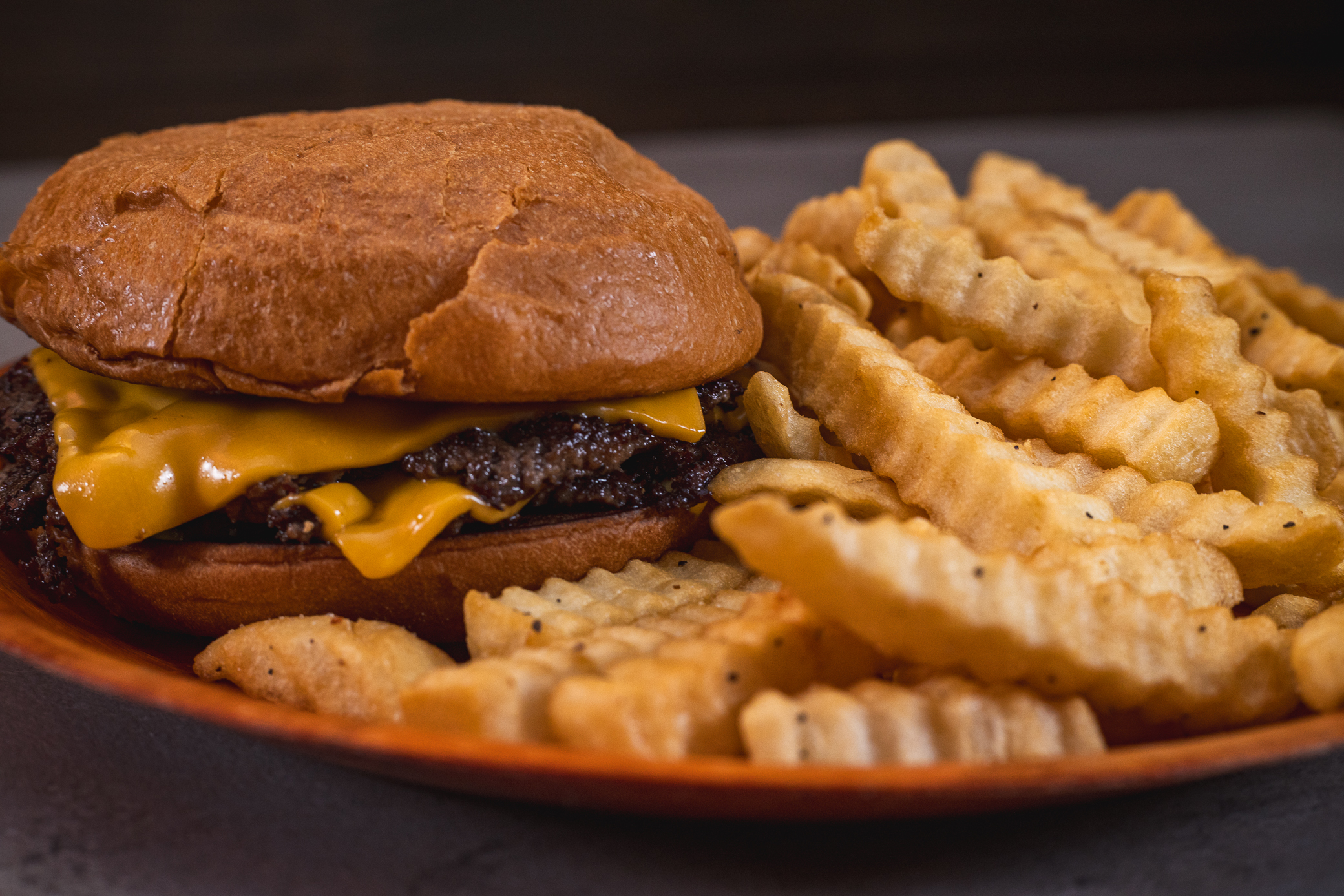
| Burgers, stacked sandwiches | 45 degrees or lower | Show the layers. A skewer holds a tall stack upright |
| Wraps, burritos, subs | 45 degrees | Cut one in half and stack the halves so the filling faces the lens, as Uber suggests |
| Pasta, noodles, rice plates | 45 degrees | Twirl or mound the center for height and wipe the rim |
| Soups, curries, stews | Top-down or 45 degrees | Add the garnish the kitchen uses so the surface is not one flat color |
| Fried food | 45 degrees | Light from the side to bring out the crust, and shoot fast |
| Drinks | Straight on or a little above | Show the whole cup or bottle. A light behind the glass makes the liquid glow |
| Desserts | 45 degrees, or straight on for layer cakes | Cut one slice so the inside shows |
| Family meals and bundles | Top-down | Include each component of the bundle and nothing extra |
For flat dishes, my flat lay photography guide covers the overhead setup.
What lighting do delivery app photos need?
Use one soft light from the side or from behind the dish. DoorDash asks for bright, even lighting with no harsh shadows or blown highlights, and Uber rejects strong shadows and dim images. Uber’s guide also warns against fluorescent light.
The no-budget version is a table beside a window in indirect daylight, with the dining room lights off so two colors of light do not mix on one plate. White foam board opposite the window lifts the shadow side.
In a kitchen with no window I bring one flash in a softbox, place it at about ten o’clock behind the dish, and bounce fill from the front. The light stays the same from the first dish to the last, so a 40-item menu looks like one set. My article on food photography lighting goes through the positions in more detail.
How should you style food for a menu photo?
Style for accuracy. A customer who receives a smaller portion than the photo showed will say so in a review.
- Use the plate, bowl or container that shows the portion at its true size.
- Add garnish the kitchen puts on the dish and nothing else. DoorDash allows raw ingredients as accents when they show what is in the item.
- Wipe rims, drips and fingerprints. Uber rejects photos that show a dirty surface or plate.
- Keep a second dish out of the background. A customer can read it as part of the order.
Should you shoot delivery app photos yourself or hire a photographer?
Shoot them yourself if the menu is short, you have a window, and the photos only need to live on the apps. A current phone exceeds the pixel minimums on all three platforms.
The free platform shoots are worth a look too. DoorDash, for one, offers a free photoshoot covering up to 20 menu items where it has photographers available, with the condition that you do not use those images on other third-party delivery platforms.
Hire a photographer if you have 30 or more items, no daylight, or plans to reuse the images on your website, printed menu and ads. Professional food photography for delivery apps gives you one consistent set, three crops per dish, and a license for each place you publish. I shoot menus for restaurants across South Florida as a food photographer, and the same session can cover the dining room and bar. My restaurant photography guide lists those shots, and the drink photography page covers cocktails.
Frequently asked questions
What size should DoorDash menu photos be?
DoorDash asks for item photos of at least 1400 × 800 pixels in a 16:9 horizontal shape, and it rejects vertical and square images. Its help article lists a 2 MB maximum file size in one section, so export a JPG under 2 MB. Header photos use the same minimum and display at 4:1 on the web.
What aspect ratio does Uber Eats use for menu photos?
Uber’s merchant guidelines recommend item photos between 5:4 and 6:4, with the item centered. Files can be JPG, PNG or GIF up to 10 MB, from 550 to 10,000 pixels wide and 440 to 10,000 pixels tall. Cover photos are a separate spec: 2880 × 2304 pixels, JPEG, at a 5:4 ratio.
Can I use the same photo on DoorDash, Uber Eats and Grubhub?
Yes, if you own the photo and crop it for each platform: 16:9 for DoorDash, about 5:4 for Uber Eats and a 1:1 square PNG for Grubhub. Frame the original with space around the plate. The exception is a free DoorDash photoshoot, because DoorDash bars those images from other delivery platforms.
Can I take delivery app photos with my phone?
A current phone has enough resolution for all three platforms. Light decides the result. Set the dish beside a window in indirect daylight, turn off the overhead lights, hold the phone horizontal, and keep the whole plate in frame. Skip portrait mode if it blurs the edge of the food.
Get your menu photographed for all three apps
Send me a link to your menu or your store page, the number of items you want shot, the platforms you sell on and two dates that work for your kitchen. I will reply with a shot list, a schedule and a quote. Send your menu and dates through my contact page.